
Hyprland on CachyOS: From .conf to Lua
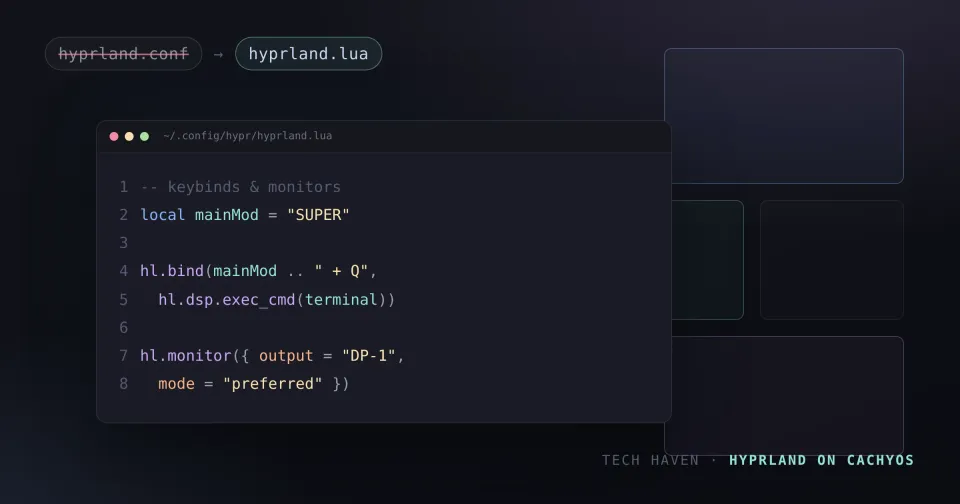
If you're looking for a guide to configuring Hyprland, you'll still mostly land on examples with bind = ... and variables set in hyprland.conf. But as of Hyprland 0.55, the default format is Lua — it's hyprland.lua the compositor looks for, not hyprland.conf.
This post assumes you already have Hyprland running on CachyOS. It's about tailoring the setup to your needs, without running into guides written for a format that's on its way out.
Why Lua?
Hyprland 0.55 (released in 2026, followed by a 0.55.1 bugfix release) completes the move to having the compositor's configuration driven by Lua instead of the old hyprlang format. The old .conf format still works — for now — but the wiki and official docs now point to Lua, and the project actively encourages migrating.
The biggest payoff is a new Layout API. Where you were previously locked into Hyprland's built-in layouts (dwindle, master), you can now define your own window layouts directly in the config file — and choose whether they apply globally, per workspace, or per monitor. The layout behaves like a built-in Hyprland layout, but is fully user-controlled.
The rest of 0.55 builds in the same direction: per-output ICC color profile support, improved scrolling, FP16 rendering, and a stronger color-management pipeline. Lua isn't just a syntax change — it's the foundation for making Hyprland more programmable going forward.
The config file layout
On a vanilla Hyprland install, the default entry point is ~/.config/hypr/hyprland.lua. That file replaces hyprland.conf — a fresh install only creates the .lua file, and there's no .conf left to fall back on.
If you installed Hyprland on CachyOS via the cachyos-hypr-noctalia package, you get a ready-made split structure, where the main file uses Lua's require() to pull in several smaller files:
~/.config/hypr/
  hyprland.lua          # entry point, calls require() on the files below
  config/
    monitors.lua        # display setup
    variables.lua        # modifier key, workspace count, etc.
    input.lua            # keyboard/mouse sensitivity
    binds.lua             # keybindings
    windowrules.lua      # per-application rules
    workspaces.lua        # workspace configuration
~/.config/uwsm/env         # global environment variables (e.g. HYPRCURSOR_THEME)
~/.config/noctalia/config.toml  # the Noctalia theme (CachyOS' theme manager)
Noctalia is CachyOS' theming and settings tool for Hyprland — open it with Super + Z and manage colors, plugins and visual choices from there, so you rarely need to touch config.toml by hand.
The Lua syntax in practice
The Lua config uses a small API under the hl namespace. These functions show up again and again, whether you're editing one combined file or CachyOS' split structure:
-- variables, like regular Lua
local terminal = "kitty"
local mainMod = "SUPER"

-- general settings, grouped into tables
hl.config({
  general = { gaps_in = 4, gaps_out = 8 },
  decoration = { rounding = 8 },
})

-- monitors
hl.monitor({
  output = "",
  mode = "preferred",
  position = "auto",
  scale = "auto",
})

-- autostart
hl.on("hyprland.start", function()
  hl.exec_cmd(terminal)
end)

-- keybindings
hl.bind(mainMod .. " + Q", hl.dsp.exec_cmd(terminal))
hl.bind(mainMod .. " + left", hl.dsp.focus({ direction = "left" }))

-- window rules
hl.window_rule({
  name = "float-pavucontrol",
  match = { class = "pavucontrol" },
  float = true,
})
If you need to split config across files, require() does the job — it's effectively what replaces the old source = ... lines from the hyprlang format:
require("config.monitors")
require("config.binds")
Because it's actual Lua, you get variables, functions, loops and conditionals — something hyprlang never offered. That's also what makes the Layout API possible.
Customizing your setup
Start with your monitors. Run hyprctl monitors to get your connected outputs' exact names, then set them explicitly in monitors.lua instead of leaving everything on auto:
hl.monitor({ output = "DP-1", mode = "2560x1440@144", position = "0x0", scale = "1" })
hl.monitor({ output = "HDMI-A-1", mode = "1920x1080@60", position = "2560x0", scale = "1" })
Rebinding a key in binds.lua follows the same pattern as any other hl.bind() call:
hl.bind(mainMod .. " + B", hl.dsp.exec_cmd("firefox"))windowrules.lua is where you tame individual applications — floating a settings dialog, forcing a workspace, or killing an app's own window decorations:
hl.window_rule({
  name = "steam-float",
  match = { class = "steam", title = "Friends List" },
  float = true,
})
variables.lua is the right place for the modifier key, workspace count, and other values you reference from several files, and ~/.config/uwsm/env is where global environment variables like HYPRCURSOR_THEME or QT_QPA_PLATFORMTHEME belong, rather than scattering exec-once env-setting calls across your config.
As with the old format, hyprctl reload is still your first move after a change. If a Lua-specific setting doesn't seem to take effect, fall back to fully restarting Hyprland — some of the newer Lua-only features are more likely to need a fresh start than a plain config value was.
If you'd rather not hand-edit Lua in an IDE at all, HyprMod is a GTK4/libadwaita GUI for Hyprland that supports both the old .conf format and hyprland.lua (0.55+). You get live preview, undo, saved profiles, and point-and-click editors for monitors, keybinds, and window/layer/workspace rules, instead of editing files directly. It's still young and not packaged for most distros, but it's on the AUR (hyprmod), so installing it on CachyOS is a one-liner.
Have an existing .conf setup?
If you're upgrading a machine that still has a working hyprland.conf, you don't have to translate it by hand. hypr-migrate converts a .conf (hyprlang, ≤ 0.54) config to Lua (≥0.55) through a three-phase pipeline — decompose, sort, reconstruct — rather than a naive line-by-line swap, so variables, monitor/workspace/window rules, keybinds and colors all come out as proper hl.* calls:
hypr_migrate.py ~/.config/hypr/hyprland.conf --in-placeIt backs up the original .conf automatically, and a --diff flag lets you sanity-check the result against a .lua file you've already started by hand.
Wrapping up
Before you copy a bind = $mainMod, Q, killactive line into your config, check whether the guide you're reading was written for hyprlang or Lua — the two don't mix, and a .conf-era guide will leave you editing a file Hyprland no longer reads by default. Once you're on Lua, it's worth spending some time with the Layout API: defining a layout per workspace or per monitor is the kind of customization the old format simply couldn't offer.
Operators if you feel like it, share your wild tricks or bindings in the comments.
Sources
- Lua-ification of Hyprland configs — Hyprland news
- Hyprland 0.55 Brings Lua Configs and User-Defined Layouts — Linuxiac
- Hyprland 0.55 Released With Lua-Based Configuration — Phoronix
- Hyprland Post Install Setup & Keybinds — CachyOS Wiki
- hypr-migrate — GitHub
- Hyprland Welcome still expects hyprland.conf after the Lua config migration — GitHub Discussions
- HyprMod — GitHub
Member discussion