
Breaking Free from Big Tech
Setting Up My Own Private Cloud
At some point, most of us have that quiet moment of unease. You upload a photo, and you realize you have no real idea where it lives, who can see it, or what happens to it when the company that hosts it changes its terms of service — again. Google Drive, iCloud, Dropbox: convenient, reliable, and completely outside your control.
I decided to do something about that. Not out of paranoia, but out of a simple wish: I wanted my files, my photos, and my documents to actually belong to me. So I built my own private cloud, running on hardware in my own home, using NextCloud.
This isn't a step-by-step installation guide — there are plenty of those already. This is the story of why I did it, what it actually took, and what I gave up in the process.
Why Bother?
It would have been easier to just keep paying for a subscription somewhere. That's exactly the point. Convenience is the price you pay for control. Every time you store something in someone else's cloud, you're trusting that company's business model, its security practices, and its incentives to stay aligned with yours — indefinitely.
I'm not interested in becoming completely off-grid or paranoid about technology. I still use plenty of commercial services. But for the things that matter — personal documents, photos, notes — I wanted a system where I understand exactly what's happening to my data, because I built it myself.
There's also something satisfying about it from an engineering standpoint. It's the same instinct that makes people build furniture instead of buying it: you could just buy the couch, but there's real value in understanding how it's put together.
What I Actually Built
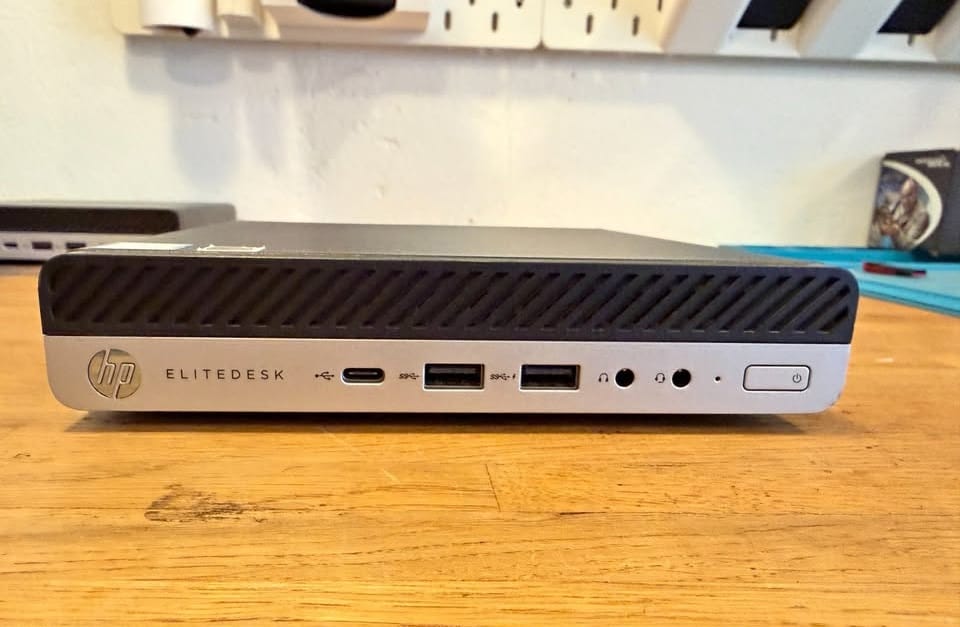
My private cloud runs as a Docker stack on a Proxmox server at home — the same machine that also runs a handful of other self-hosted services. NextCloud handles file sync, contacts, calendars, and photo backup. I paired it with OnlyOffice so I can edit documents directly in the browser, without needing Microsoft Office or Google Docs at all.
None of this was as simple as "docker compose up." The real complexity showed up in three places:
SSL and reverse proxying. Getting HTTPS working properly, so my devices trust the connection without warnings, meant setting up Traefik as a reverse proxy in front of everything. Traefik handles routing traffic to the right container and managing certificates automatically — but getting the configuration right, especially with multiple services behind it, took real trial and error.
Remote access without opening ports. I didn't want to expose my home network directly to the internet by forwarding ports on my router — that's a well-known way to attract trouble. Instead, I use a Cloudflare Tunnel, which creates an outbound-only connection from my server to Cloudflare's network. My services become reachable from anywhere, without a single open inbound port on my firewall.
Making it actually reliable. A cloud service that only works when you remember to check on it isn't a cloud service — it's a liability. Getting backups, updates, and monitoring in place took longer than the initial setup itself.
What You Actually Get
The result, day to day, feels remarkably close to using Google Drive or Dropbox. Files sync automatically across my devices. I can edit documents collaboratively. My photos back up automatically from my phone. The apps look and feel modern — this isn't some crusty open-source alternative that feels like a downgrade.
But there are real differences:
- I know exactly where my data is. Not "somewhere in a data center," but on a specific drive, in a specific room, in my house.
- No one is scanning my files for advertising purposes, training data, or anything else I haven't explicitly agreed to.
- I control the retention policy. Nothing gets silently deleted because of an inactive-account policy I never noticed.
What I Gave Up
I want to be honest about the trade-offs, because "just self-host it" oversimplifies things.
I am the IT department now. When something breaks — and it does, occasionally — there's no support ticket to file. I fix it, or it stays broken. That's a real responsibility, not a hypothetical one.
Uptime is my problem. Big cloud providers have redundancy I simply can't match with a server at home. If my internet goes down, so does remote access to my files (though local access still works fine).
Backups are non-negotiable, and entirely on me. If I'm sloppy about backups, I don't have a support team to fall back on — I have data loss. I don't self-host anything without a solid backup strategy behind it, and I'd suggest you don't either.
It took real time to set up. This wasn't a weekend project. Getting SSL, reverse proxying, and tunneling all working smoothly together took patience and a fair amount of troubleshooting.
The Part I Haven't Solved Yet
In the interest of honesty: not everything works. The NextCloud mobile app is supposed to automatically back up photos and files from my phone, the same way Google Photos or iCloud does. In my setup, it doesn't — reliably, at least.
The likely culprit is the Cloudflare Tunnel itself. All my traffic to NextCloud is routed through it, and tunnels like this weren't really built with large, sustained mobile uploads in mind — think dozens of photos syncing in the background, or a big batch of video files. Requests that should be simple end up timing out or failing partway through, in a way that a direct connection wouldn't.
It's a good reminder that self-hosting isn't a switch you flip once. It's closer to gardening: bugs like this sit around until you have the time and motivation to actually dig into them. I have some ideas — adjusting timeout settings, or possibly routing large uploads a different way — but I haven't nailed it down yet. When I do, it'll probably be its own post.
Is It Worth It?
For me, yes — but I'd frame it less as "everyone should self-host their cloud" and more as "know what you're trading away when you don't." Convenience has a cost, even when that cost is invisible. Self-hosting made that cost visible to me, and in exchange, gave me something I think is genuinely valuable: I actually understand the system my data lives in.
If you're technically inclined and curious, it's a rewarding project — not because it saves you money (it often doesn't, once you account for hardware and your own time), but because of what it teaches you, and what it gives back: real ownership over the small, personal digital things that make up daily life.
Running something similar, or thinking about it? I'll be writing more about the specific technical setup — the SSL configuration, the tunnel setup, and the pieces that gave me the most trouble — in future posts.
Member discussion